
Digital Accessibility is an ADA Requirement
About 25% of U.S. adults, and over a billion people worldwide, live with a disability. The way many people access the web can be impacted by disability. Many will use assistive technology, for example, or make modifications that make web content usable to them.
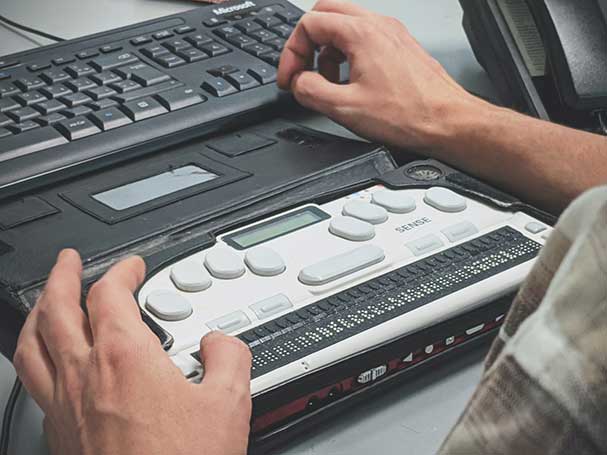
In order for assistive technology, like screen readers, to work with a website, that website has to be made compatible through the implementation of accessibility best practices and specifications.
The following are the most basic things you can easily do to ensure your page content is accessible.
To explore UCR’s broader initiatives in digital inclusion, please visit the UCR Accessibility Website
Accessibility Training & Resources
- Accessibility for Everyone Training (under the Where Do I Start? section)
- Creating online content for UC? New federal digital accessibility regulations apply to you - February 10, 2026
- Important federal and systemwide requirements affecting digital content - January 29, 2026
- UCOP Electronic Accessibility Training Resources
- UCR Accessibility Resources
- UCR ITS - Website Accessibility
- Siteimprove - Free cloud service that enables you to systematically review your sites for accessibility, SEO, and best practices.
- UC Webinar: From Compliance to Inclusion - Recorded May 15, 2025
- New regulations for the Americans with Disabilities Act that will impact UC - February 25, 2025
- UCOP’s Quick Tips for Creating Accessible Websites (pdf)
- Inclusive Communication: Tips and Guidance for Promoting Electronic Accessibility
- LinkedIn Learning Accessibility for Web Design
Accessible Course Design for Faculty (Non-Drupal Sites)
- Accessibility and Inclusive Course Design
- Accessibility Guidance for Faculty
- UCR's Exploration Center for Innovative Teaching and Engagement (XCITE) provides a robust suite of resources and services relating to accessibility and inclusive course design.
UCR Accessibility Announcements
May 05, 2026
The UCR Digital Deep Clean: Week Nine: The Dining Room
We’ve saved you a seat at the table. This week we're headed to the Dining Room to tidy our data tables. In a physical dining room, a well-set table makes a meal enjoyable and easy to navigate. In the digital world, the same rule applies. By using proper table “etiquette,” you prevent confusion and data errors for your colleagues and students, especially those viewing your work on mobile devices. However, there is one golden rule to remember: Tables are for data, not aesthetics! New Resource Join the Community of Practice channel on Slack! This is a collaborative space where Highlanders can
April 28, 2026
Provost’s Spring Quarter Update: Digital Accessibility
Dear Colleagues, My spring quarter update focuses on digital accessibility. If you have been monitoring your inbox, you have undoubtedly received the weekly newsletters informing us about the many ways we can improve the accessibility of the digital content we produce. This is not only good for our students, colleagues, and community members, but it is also required by federal law and UC policy. Our collective work to implement these changes to our digital interaction is a long-term project – a marathon, not a sprint. It’s important that each of us can identify progress in our own areas of
April 09, 2026
The UCR Digital Deep Clean: Week Eight: The Media Room
Lights, camera, accessibility! In week 8 of the Digital Deep Clean challenge we’re heading into the “Media Room" to audit our video and audio content. Whether it’s a recorded lecture, an event promotion, a podcast, or a quick tutorial, our media must be accessible to every Highlander. This includes those who are d/Deaf or hard of hearing, as well as those who are simply in a quiet study zone or a noisy gym. In fact, 80% of people watch mobile videos with the sound off. By adding captions, you ensure your message is received regardless of the volume setting. Plus, transcripts make your video
April 08, 2026
The UCR Digital Deep Clean: Week Seven: The Kitchen
Welcome to Week 7 of the Digital Deep Clean! This week, we’re heading into the “Kitchen." When working in the kitchen, labels are important. Is that white powder in the container flour or sugar? Without a label, you’re left guessing. The same is true for the images we use in our digital content. Whether it’s an email, a PDF, a slide deck, or a webpage, every image needs a short description. Adding alternative text (alt-text) isn't just about describing what a picture looks like; it’s about conveying the story the image is meant to tell. Week Seven Guidance Key Tips When Adding Alt-Text Skip
Early Wins: Start with these top issues


