ANNOUNCEMENT:
Learn how to make your website accessible and learn about accessibility
Learn About Website Accessibility
CNAS sub-theme overview, resources, and video tutorials
New CNAS Sites
Your CNAS Organization Manager will spin up a new site with the CNAS Theme already in place. It is not mandatory for sites under CNAS to use the CNAS Theme. Let your Organization Manager know if your department, lab, center, etc. does not want to utilize the CNAS Theme. This can be selected on the Request a Website form.


This is the CNAS Science News RSS feed

October 07, 2026
Department of Energy awards AI geothermal project to UCs
The U.S. Department of Energy Office of Science has selected a geothermal energy project led by engineers at the University of California, Irvine to move forward to a second phase that will span three years. The multi-agent AI expert for subsurface reasoning and optimization initiative brings together researchers from a variety of disciplines who will deploy the latest artificial intelligence tools to tap into heat beneath the Earth’s surface to spin turbines and generate electricity.

October 01, 2026
UCR physicist selected as an Experimental Physics Investigator by Moore Foundation
Award provides a five-year, $1.35 million grant to explore collective quantum behavior in 2D materials
September 29, 2026
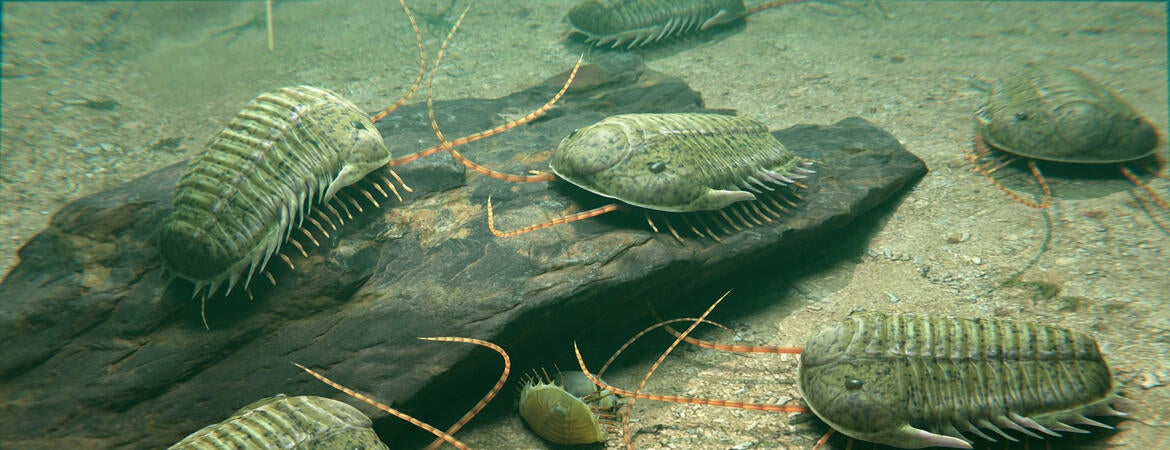
How ocean chemistry helped life keep breathing
Scientists have helped solve a longstanding mystery about how Earth remained habitable after oxygen first accumulated in its atmosphere more than 2 billion years ago.
September 29, 2026
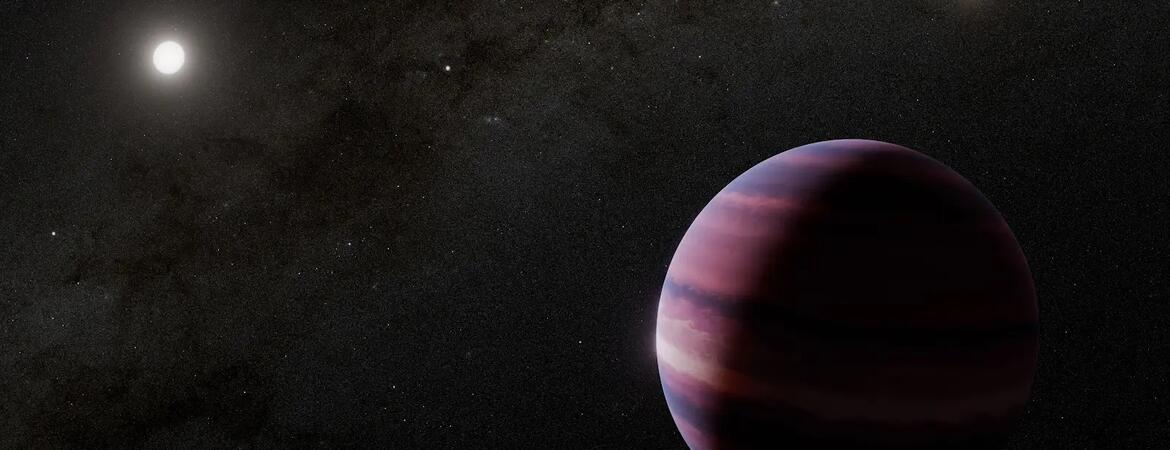
An Earth-like planet with two suns?
A nearby star system with two suns could potentially support an Earth-sized planet in a region where liquid water could exist, according to a new paper examining the dynamics of the system.


Articles Preview with "bubble up" effect



ITS Blog: Progress and What's New

October 16, 2026
Fall 2026 Update
All UCR Drupal sites hosted on Pantheon will be updated on the week of November 02, 2026 with the changes listed below. These fixes are applied to all themes, unless stated otherwise. This release focuses on strengthening our technical foundation and significantly elevating our commitment to digital accessibility. List of Updates Security, platform, and dependency updates Upgraded Drupal Core to v10.6.19 Upgraded to PHP 8.3 Upgraded contributed modules (AI, Entity Browser, Webform) Accessibility Custom Alert Bar: Colors now meet contrast requirements. Teaser Callout: Added a Brand Blue font
July 08, 2026
Summer 2026 Update
UCR Drupal sites hosted on Pantheon will be updated on the week of July 20, 2026 with the changes listed below. These fixes are applied to all themes, unless stated otherwise. This release focuses on strengthening our technical foundation and significantly elevating our commitment to digital accessibility. List of Updates Drupal Core updates and introducing new modules: Update to Drupal Core v10.6.13. To stay up to date with the latest Drupal security updates and core features. The Schema.org Metatag modules. Boosting SEO & AI Searchability for Academic Programs Educationalprograms: Perfect
May 19, 2026
CAS Update for Drupal sites
Updating 700+ Drupal sites to a new SSO endpoint. Duo MFA will now be required at the /cas login.
April 15, 2026
Spring 2026 Release
UCR Drupal sites hosted on Pantheon will be updated on the week of April 20, 2026 with the changes listed below. These fixes are applied to all themes, unless stated otherwise. This release focuses on strengthening our technical foundation and significantly elevating our commitment to digital accessibility. List of Updates Drupal Core and Dependencies Drupal Core upgrade to v10.6.6 Linkit module upgraded to v7.03 Accessibility Fixed Double H1 Headers on all sites (Best Practice) Drupal site names were using the tag. This created a header hierarchy issue with the element used in Page